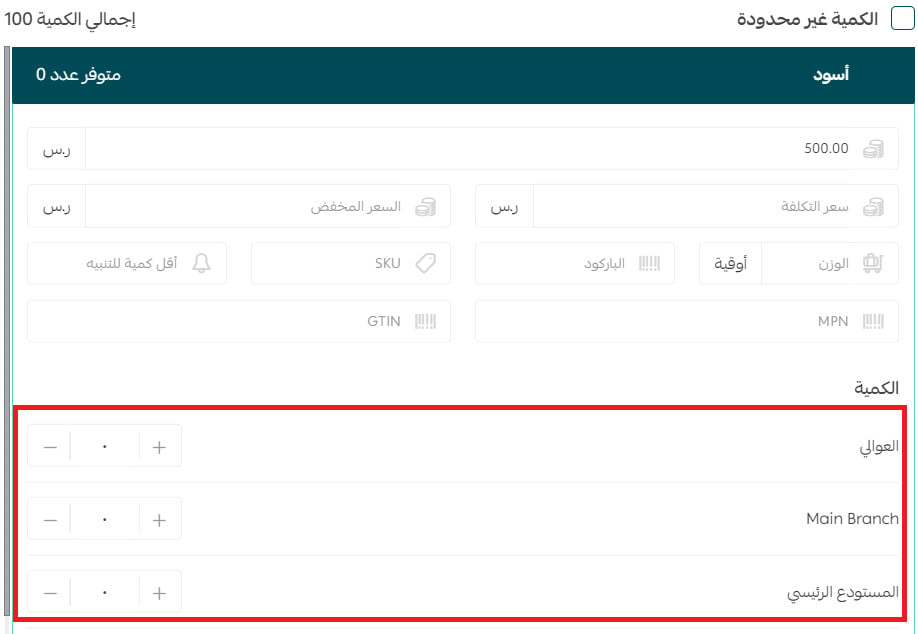
We can control product quantities in branches through several options, the most important of which are:
- Specifying the branches where a product is available
- Determining product quantities in branches
- Modifying product quantity in store branches
- Specifying the quantity of each product option
🔔 The feature is available only for stores on the Special package.
First: Specifying the branches where a product is available
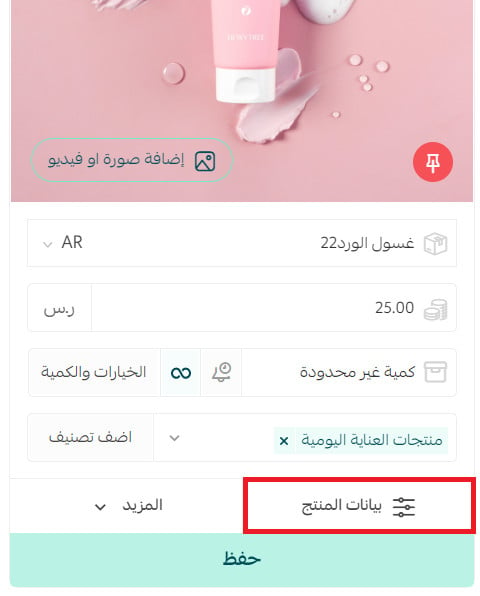
1. From the product card, click (Product Data).
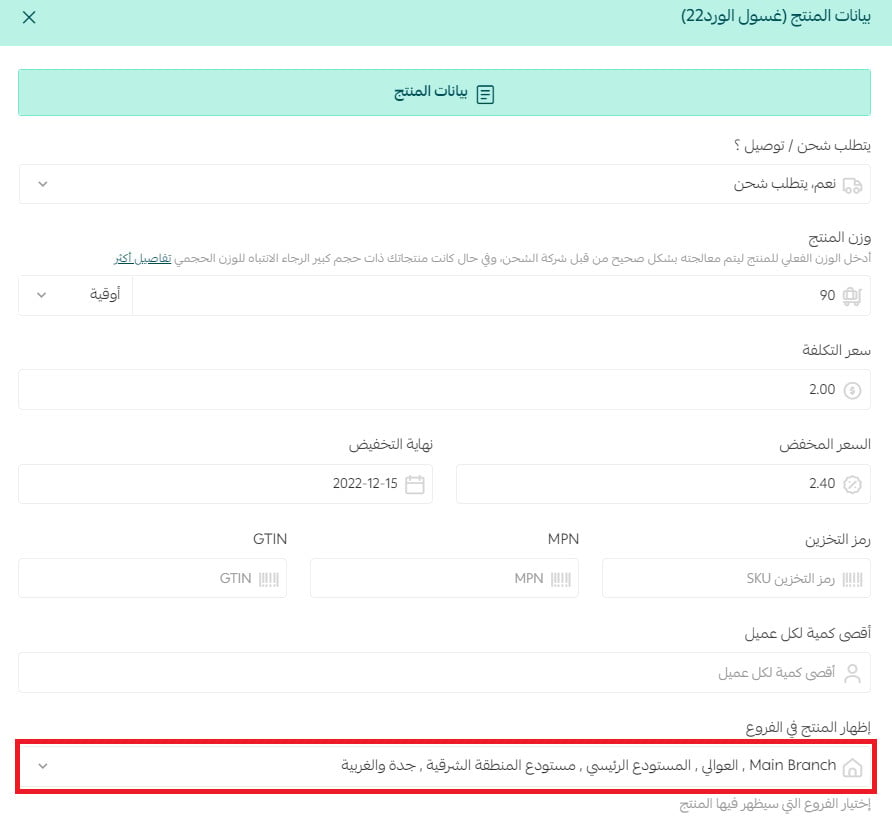
2. From the product data page, choose the branches where the product is available from the list of branches defined in the store, then click (Save).
For more details about Setting up Store Branches and Warehouses
Second: Modifying product quantities in branches
1. From the products page, click (Services) then click (Edit Quantities).
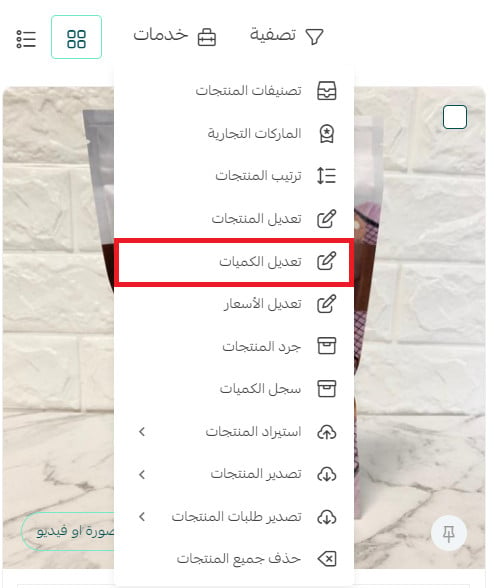
2. Enter the product quantities in branches, then click (Save).
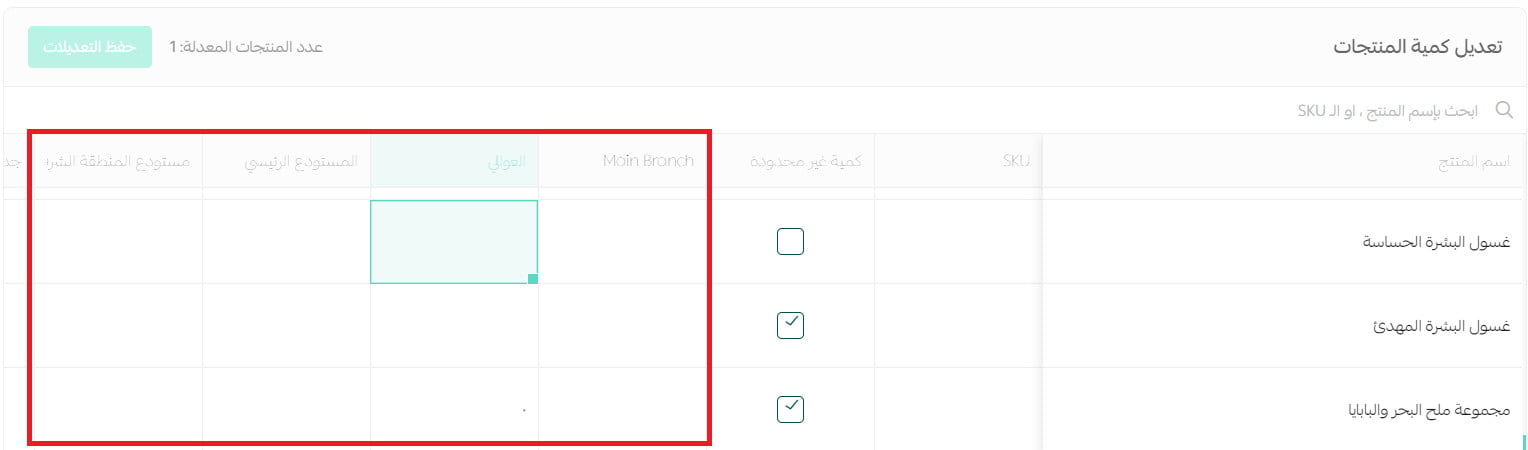
For more details about Bulk Editing Products
Third: Modifying product quantity in store branches
To modify a product's quantity in branches, from the product card, click (Options and Quantity).
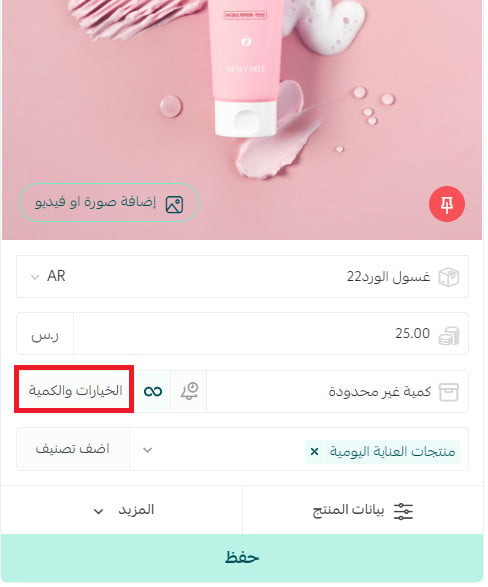
2. Enter the product quantity available in different branches, and click (Save).
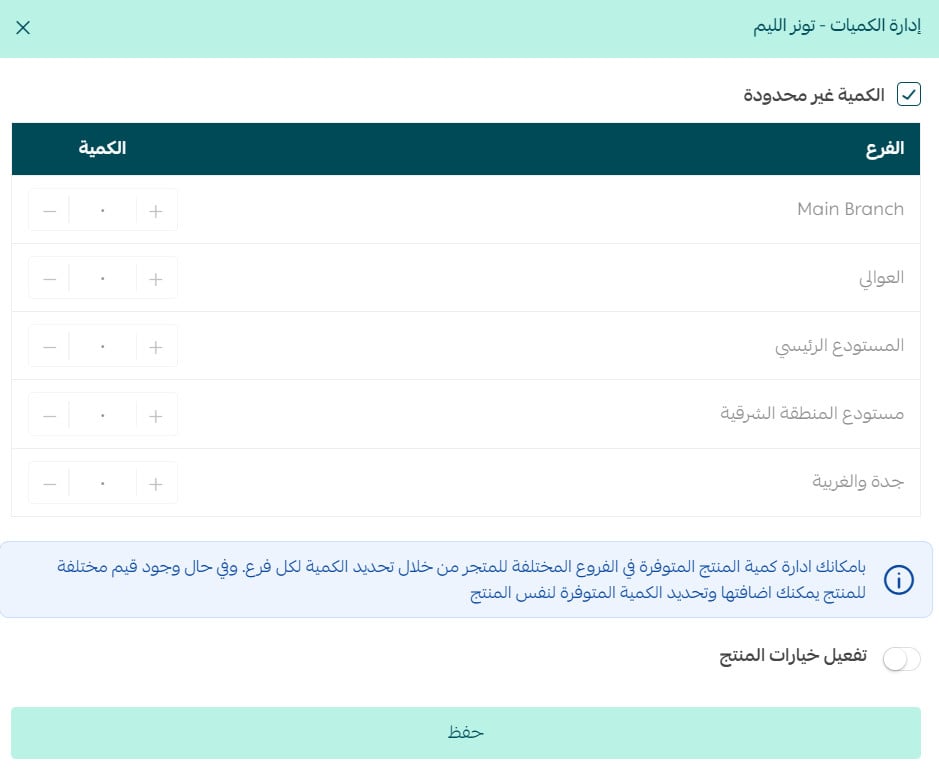
Fourth: Specifying the quantity of each product option
If the product has options, we can specify the product quantity for each option in the store's warehouses and branches from:
From the product card, click (Options and Quantity).
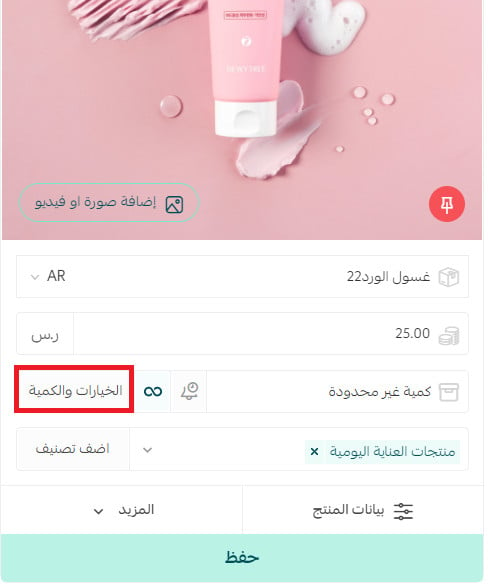
Enter the available quantity of the product for each product option, then click (Save).